Collaboration per service
Invitees have read-only access by default. An admin can enable Collaboration so invited volunteers and guests can help edit that service.
More about collaborationProWeave Hub · church planning and volunteer schedules
Schedule your teams, collect replies and prepare the service together. Volunteers know where they are needed. You see what still needs attention.
28 days with no card. Unlimited users and Presenter Flex included with Team.
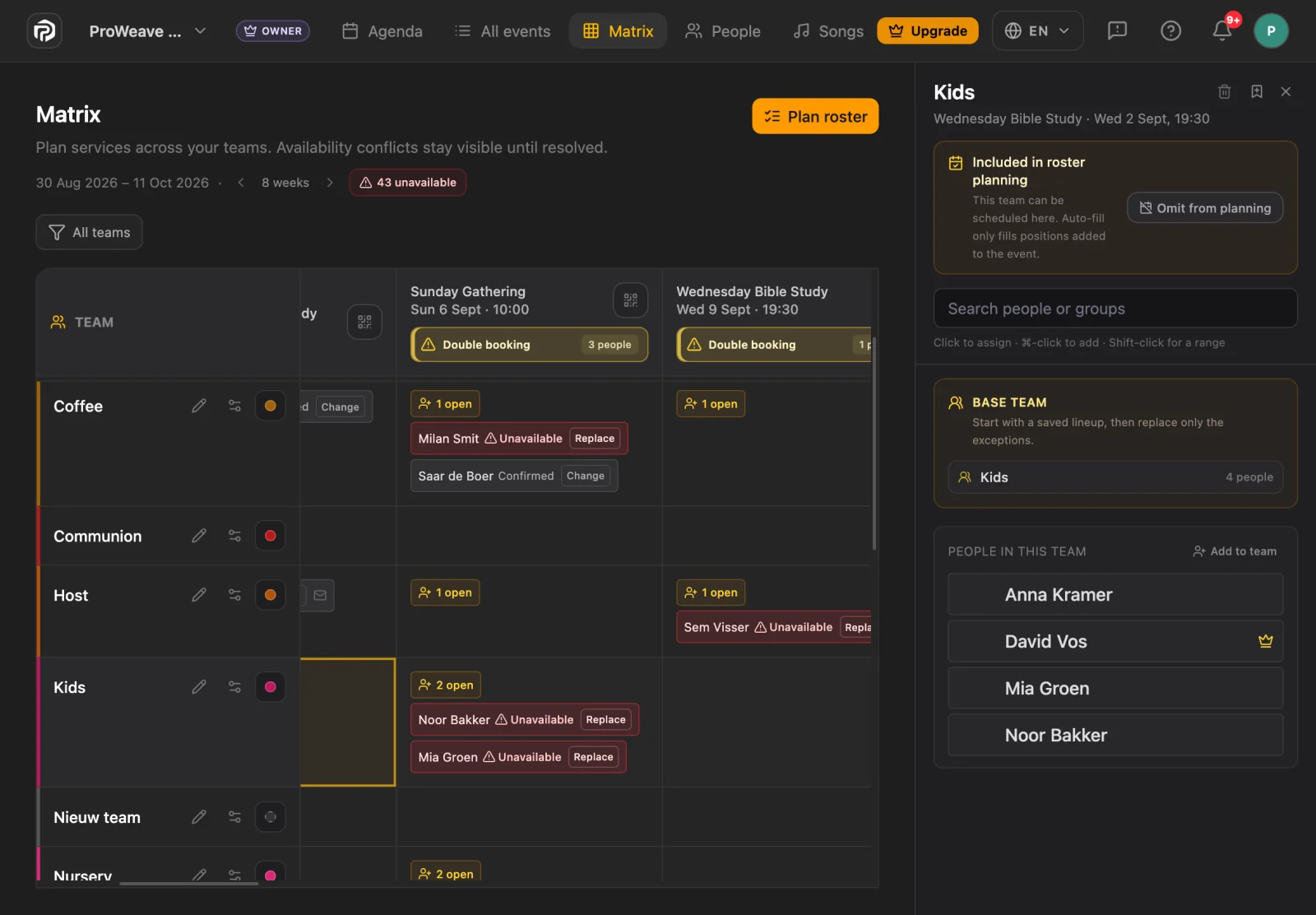
Reusable teams and roles make scheduling easier. Roster suggestions account for absences and double bookings within the service. You review them.
Volunteers reply from their phones. Invitations, reminders and swap requests stay together; you see which roles are still open.
Keep songs, files and notes with the service. Enable Collaboration to let invited volunteers help edit the plan.
Open the Hub event in Presenter and create a deck with its sections, songs and notes. Review it before presenting.
The worship team prepares songs, lyrics and chords in Hub. Presenter turns the setlist and service order into a deck, so the AV volunteer builds on work already done.
Team also downloads supported service attachments for offline use. If the Hub plan changes, create a fresh deck and review it before use.
Reuse your teams, service templates and media. Team includes 50 GB of cloud storage. Service attachments stay for 30 days after the event; keep up to 10 GB longer within the same allowance.
We're building Hub for iOS and Android. You can already use Hub in your browser today.
Share news, gatherings and group updates in one place. Each person sees what their church has shared with them.
Publish updates for the whole church or a specific group. Members find the latest news on Home.
Share upcoming gatherings with members or groups while private service plans keep their own access.
Members accept their invitation and choose whether to appear in the directory or share their email and phone.
Follow updates from your groups. Find your invitations, replies and availability under My serving.
Organisers use the full web workspace. Membership, volunteer scheduling and organiser permissions remain separate.
Invitees have read-only access by default. An admin can enable Collaboration so invited volunteers and guests can help edit that service.
More about collaborationClear permissions, privacy information in invitations and account-free unsubscribe links help you handle personal data with care.
Read our privacy policyYou can plan services and volunteers in Hub in your browser. When you want to present the service, Team also includes Presenter Flex for up to five active computers.
No. Team includes unlimited users for your church. Invitees can read their service and respond; you decide who can also help edit it.
Yes. Start a 28-day trial without a payment card. After the trial, Hub and cloud features require an active Team subscription.
Hub for unlimited users, Presenter Flex for up to five active computers and 50 GB of shared cloud storage. Together in one Team subscription for your church.
Read the Hub guide28-day trial. No card needed. Hub, Presenter Flex and cloud access require an active subscription after the trial.
See Team and pricing